
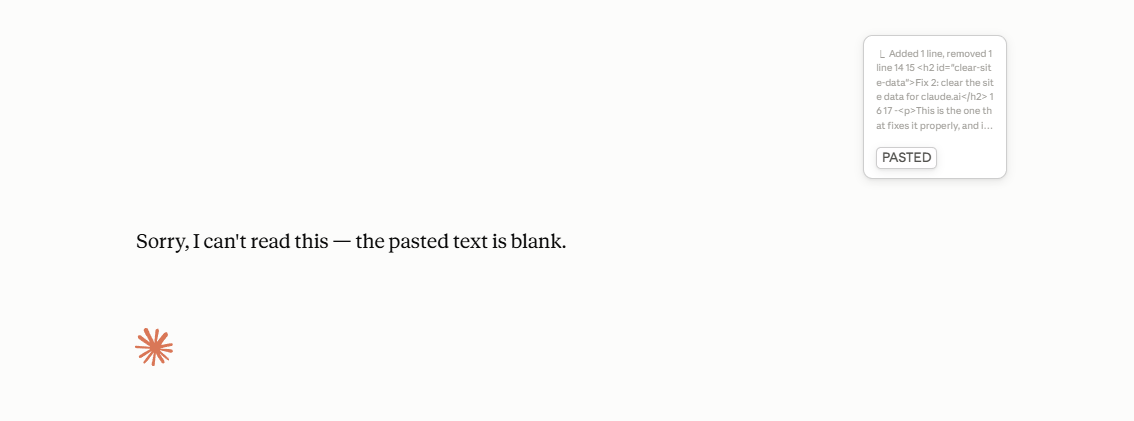
Claude turning a long paste into an attachment and then calling it empty is a known glitch in how claude.ai converts pastes, not a problem with your text. Paste as plain text first (Ctrl/Cmd + Shift + V); if it is still empty, clearing claude.ai’s site data is the fix that actually sticks. Five fixes below, ordered by effort, plus a quick way to check which one applies to you.
You paste a long block into Claude. Instead of landing in the message box it collapses into an attachment called “pasted text”. You hit send. Claude replies that the document is empty.
You paste it again. Same thing. Sometimes it tells you the earlier ones were blank too. If you have been searching some version of Claude cant see pasted text, Claude not seeing pasted content, or Claude paste as attachment, this is the same fault, and the fixes below are the same regardless of which words found this page.
Which one are you seeing?
Pick the one that matches what is actually happening. Each opens the short version; the full fix is further down the page if you need it.
Claude.ai or the desktop app says my paste is empty
Try pasting as plain text first, Ctrl/Cmd + Shift + V. If it still comes back empty, clearing claude.ai’s site data is the fix that actually sticks, since a stale cached copy of the app is usually what is broken.
I saw a filename like /mnt/data/pasted text.txt and I am not sure what it means
That is just the internal name Claude gives the attachment your paste turned into. It is not an error by itself. See what the filename means to check whether you also have the empty-attachment bug.
I am using Claude Code in the terminal, and it shows [Pasted text #1 +N lines]
That is normal. Claude Code is a separate program from claude.ai, and the placeholder line is expected behaviour, not the bug on this page. Full explanation here.
Nothing you did caused this, and there are five fixes. They are ordered by effort: the first takes two seconds, the second is the one that tends to stick.
What "pasted text.txt" is, and why you are seeing it
Past a certain length, a paste stops behaving like typing. Claude converts the block into an attachment rather than message text, names it pasted text.txt, and reads it as a file. In sessions with code execution available, that file lives at a session path beginning /mnt/data/, which is why people occasionally see the full path quoted back at them.
Where a long paste actually goes
Step 1. You paste
A long block goes into the message box.
Step 2. It becomes a file
Attached, not typed: pasted text.txt
Step 3. Claude reads the file
Stored in the session at /mnt/data/
This matters for the empty-paste problem because the two states look almost identical to you and completely different to Claude. If the attachment was created, you get a file chip above the message box. If it was not, the message goes as plain text, and if the text did not make it into the box, Claude receives an empty turn and says so.
So before you send, look for the chip. If there is a chip and the content is still missing, the file did not finish uploading. If there is no chip and the box looks full, the paste is in your clipboard rather than in the box, which happens most often when the page lost focus mid-paste.
The numbered versions like pasted text(2).txt or pasted text(3).txt are the same thing, not an error. The number increments each time you paste again in the same conversation, so the files do not overwrite each other. It sometimes shows up in logs as source:user_files alongside the filename.
Fix 1: paste as plain text
Paste as plain text with Ctrl + Shift + V on Windows, or Cmd + Shift + V on Mac. This is the fastest thing to try and it resolves a good share of cases on its own.
This pastes without formatting. If what you copied carried styling with it, from a Google Doc, a web page, an email, that formatting is often what tips the paste into becoming an attachment in the first place.
Still empty? Keep going.
Fix 2: clear the site data for claude.ai
Clearing claude.ai's site data fixes this properly, and it explains why the bug feels random in the first place.
Claude.ai stores a copy of its own code in your browser so it loads instantly next time. When that copy goes stale you keep running the old version, bug included, long after the fix has shipped to everyone else. Clearing it forces your browser to fetch the current one.
Do not clear your whole browser cache. You do not need to, and it signs you out of everything. Clear this one site:
- Open claude.ai
- Click the icon to the left of the address bar, the padlock or the sliders
- Choose Cookies and site data, then Manage on-device site data
- Delete everything listed
- Hard refresh with
Ctrl + Shift + R, orCmd + Shift + Ron Mac
You will be signed out of Claude. Sign back in and paste again.
If you are comfortable in DevTools, the faster route is Application, then Storage, then Clear site data.
This is the one that stuck for me after the lighter fixes kept half-working.
Fix 3: save it as a text file and upload it
Put the text in a .txt file and attach it with the paperclip.
File upload is a different path from pasting, so it keeps working while pasting is broken. Mildly annoying, completely reliable, and worth knowing about even when nothing is wrong.
Fix 4: paste in smaller chunks
Short pastes stay inline as ordinary message text. Long ones get converted to an attachment, and it is the conversion that fails.
Split what you have across a few messages, or into two or three pastes in one message. Not much help if you are pasting a contract, but it works.
Fix 5: try the desktop app
The desktop app and the browser handle pasting differently. If the browser is stuck and you need the thing done now, that is the shortest way around it.
Let’s get this permanently fixed.
That probably cost you a few minutes you are not getting back, and it is a fault on Claude’s side, not yours. Tag @claudeai on X, link this post, and ask for a real fix. The louder this gets, the sooner it stops happening to the next person.
Tag @claudeai and ask for a fixClaude Code not showing pasted lines
Claude Code showing a placeholder like [Pasted text #1 +42 lines] instead of your full text is normal behaviour, not a bug. Claude Code is the terminal tool, a separate program from claude.ai and the desktop app, and the empty-attachment bug covered above does not apply to it. A long paste there gets collapsed into that placeholder line so it does not fill your terminal with hundreds of lines, but the full text is still sent underneath it and Claude Code reads all of it.
If Claude Code genuinely is not getting what you pasted, clearing site data will not help, since there is no browser cache involved. Paste in smaller chunks instead (Fix 4 still applies), and check that tmux, screen, or an SSH hop in between is not swallowing part of the paste before it reaches the terminal.
Why this happens
Two separate things are going on, which is why the fixes look unrelated to each other.
The first is the attachment conversion. Past a certain length, a paste stops being message text and becomes a file. That part is deliberate and useful. What is not deliberate is the file arriving with nothing in it.
The second is the cache. Apps like this ship their code to your browser and keep a copy locally. That copy can go stale, leaving you on a version with a bug in it. This is also what explains the strangest symptom people report: it worked yesterday, it stopped today, you changed nothing, and it works fine for a colleague looking at the same page.
If clearing site data fixes it, the cache was your problem. If it does not, you are hitting the conversion itself, and Fix 3 is your answer until it is patched. A reply that stops partway through is a different fault with its own causes, covered in Claude cutting off mid sentence.
How to avoid it next time
Get into the habit of Ctrl + Shift + V. It is the better way to paste into most things anyway.
For anything longer than a few hundred lines, start with a .txt file rather than pasting and hoping.
And if any web app starts behaving oddly straight after an update, clear its site data before assuming the product changed. It is the first thing worth ruling out and it takes a minute.
Written by the team at Lead Source, who spend most of their time on lead attribution rather than browser caches, but hit this one often enough to write it down.