Lead source in HubSpot.
HubSpot says “Paid Search.” Capture the actual source and page journey on every form.


Why HubSpot’s Lead Source field is often wrong, and how to fix it
HubSpot has two source properties. Original Source records a contact’s earliest tracked visit; Latest Source is overwritten on every new session. Many reports default to Latest Source, so a lead who first arrived from Paid Search but later returns via a bookmark is recorded as Direct, and the original source is lost.
HubSpot files a visit as Direct whenever it cannot see where it came from. Per HubSpot’s own documentation, that happens when:
- the referring site uses HTTPS but yours does not, so the referrer is dropped;
- Safari on iOS 18.7+ strips
utm_source,utm_mediumandgclidfrom the URL before HubSpot’s script can read them; - a visitor declines the cookie banner, or the form sits on a page without the HubSpot tracking code;
- the click came from an app, message, or email that carried no referrer.
The result: a share of your “Paid Search” and “Organic” leads quietly land in Direct, and your reporting under-credits the channels that are actually working.
How Lead Source fixes it: one snippet captures the real source, campaign and full page journey on every form submission. Every lead lands in your Lead Source dashboard named, carrying the source HubSpot could not see. Your HubSpot fields are untouched, because nothing is written back into them.
Works with every HubSpot form type.
HubSpot forms, pop-ups, embedded forms and standalone landing pages are all captured, on any HubSpot tier. Nothing to configure inside HubSpot. No Operations Hub, no workflows.
The field is only as good as what fills it
HubSpot gives you Original Source. Form tracking fills the specific source at submission, which is the only moment the answer exists.
Nine values for everything you spend on marketing.
HubSpot’s built-in Original Source is a high-level bucket. It’s the right answer for “how did this contact first find us, in general?” It’s the wrong answer for “which of my Google Ads campaigns produced this customer?”
Original Source tells you a category. Lead Source tells you which specific source produced a customer. Which is what you need to make a budget decision. For the property itself, see what HubSpot Original Source is, and to read its sub-properties, the Original Source drill-down.
One snippet on your site. Every HubSpot form captured.
- 01Lead Source captures the visitor’s real source, campaign, and page journey when they land. Before HubSpot’s tracking code even sees them. UTMs, referrer, ad click ID, landing page.
- 02When someone submits a HubSpot form, Lead Source hears HubSpot’s own submission event and records the fields alongside the source it already captured.
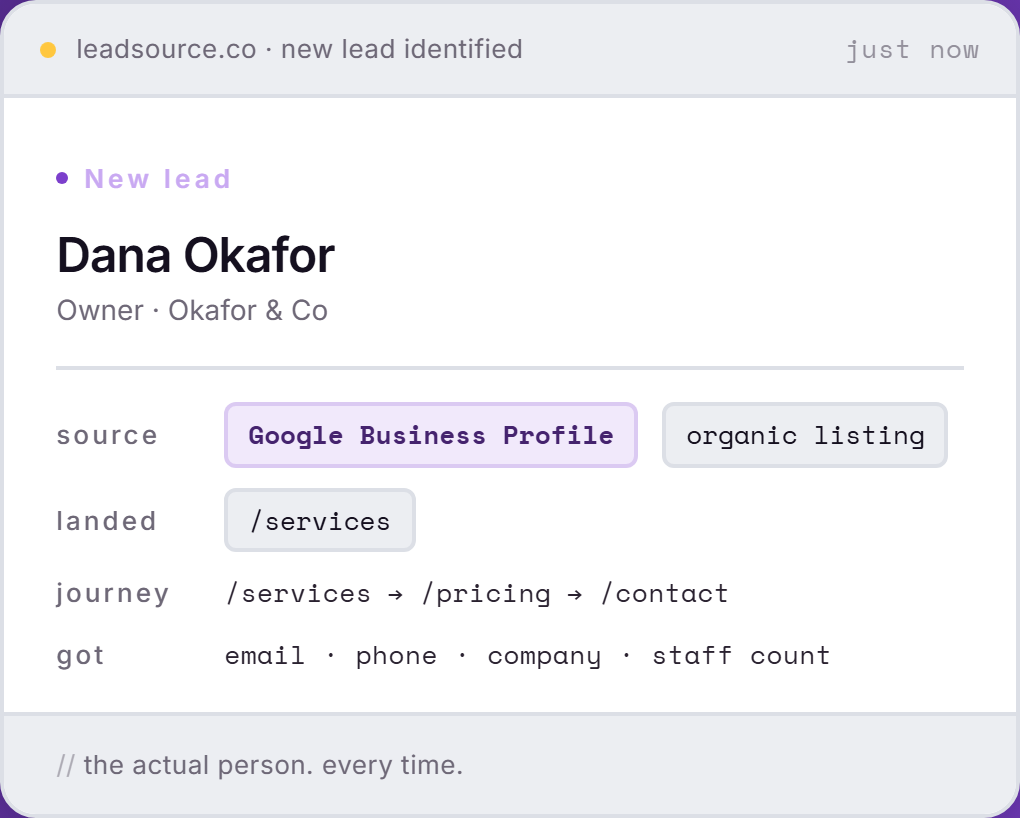
- 03The lead lands in your Lead Source dashboard named, with the real source, the landing page and the pages they read before the form.
- 04From there it goes wherever you want. Zapier writes the lead and its source into HubSpot, onto whatever property you choose, or point a webhook at your own endpoint.
One line, before the closing </head>.
Done in five minutes.
<script async src="https://app.leadsource.co/ft.js" data-site="YOUR_SITE_KEY"></script>One line in your site header. That is the whole install. Lead Source finds the forms on the page by itself, including HubSpot’s, and including forms you add later.
Add the snippet to your site
Paste the script tag above before the closing </head> on any page that has a HubSpot form. If your site is built in HubSpot CMS, drop it in Settings › Website › Pages › Site Header HTML.
Submit a test form
Submit one of your own forms with a UTM in the URL, for example ?utm_source=google&utm_campaign=test.
Check your dashboard
The lead appears in your Lead Source dashboard within seconds, named, with the real source attached.


Questions, answered.
Straight answers on the property, the schema, and what happens to Original Source.
Doesn't HubSpot already track lead source?
HubSpot tracks Original Source. A high-level bucket like "Paid Search" or "Direct Traffic." Useful for general reporting. Not useful for deciding whether to keep funding a specific Google Ads campaign. Lead Source adds the source-level detail HubSpot doesn't capture by default.
Will this overwrite HubSpot's Original Source field?
No. Lead Source never writes to HubSpot, so nothing of yours can be overwritten. Original Source stays exactly as HubSpot recorded it, and the real source lives alongside it in your Lead Source dashboard.
Do I need Operations Hub or Marketing Hub Professional?
No. Capture happens on your website, not inside HubSpot, so it works the same on Free, Starter, Professional and Enterprise. No workflows, no data sync, no paid tier.
Can I get the source into a HubSpot property?
Yes, through Zapier. Lead Source fires when a lead is captured, and Zapier's HubSpot action writes the fields you pick onto the contact. You choose the property and map it once.
Does the source survive contact merges and lifecycle changes?
Yes, because it does not live in HubSpot. The lead record sits in Lead Source, so merges, lifecycle changes and rep edits on the HubSpot side cannot touch it.
See your real HubSpot lead sources.
Free. Five-minute install. No credit card.
Start freeFree to start · no card