


CRM lead source
How to add a custom field to a Freshsales web form
This page covers one thing: knowing which marketing produced each lead in your Pipedrive pipeline. Pipedrive records how a lead got into Pipedrive. Lead source tracking records what sent the person there in the first place.


Pipedrive gives every lead and deal two source fields. Source origin is filled in automatically and records how the record got into Pipedrive: a web form, the chatbot, an import, an integration. Source channel is a picklist for the marketing channel, and in most teams it is filled in by hand, inconsistently, or not at all.
Both are useful, and neither answers the question that decides the budget. Pipedrive has no field that records which marketing sent the person, because Pipedrive was not there when it happened.
“Web forms” tells you the lead came through a form. It does not tell you the form was filled in by someone who clicked your Commercial Cleaning ad, read two case studies and then asked for a quote. So the pipeline fills up, the deals close, and the report on what produced them is a rep’s best guess from a dropdown. Few sales teams enjoy that report. Fewer believe it.
Leads reach Pipedrive in more than one way. Each route gets the same answer: the person, the marketing that sent them, and the pages they read first.
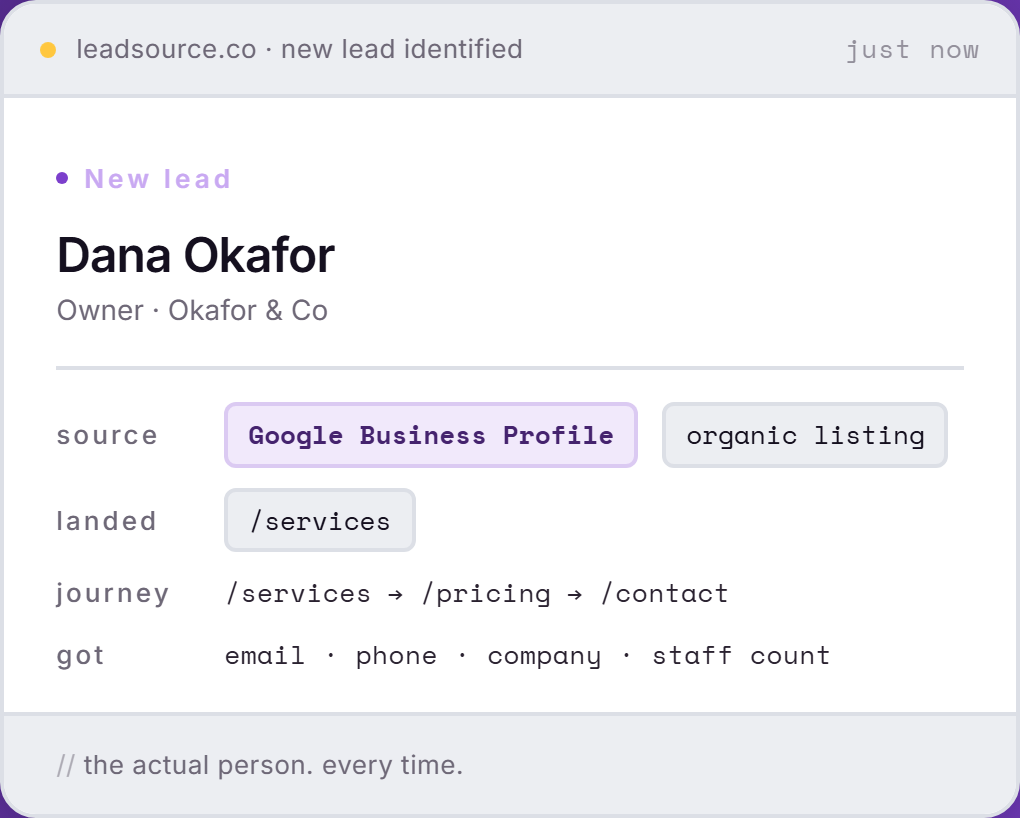
Pipedrive records the route in. Lead Source records the ad, the search or the referral that started it, on every lead.
Four setups come up again and again around Pipedrive. Each one works with Lead Source as it is.
Whether your landing pages are built in a page builder, WordPress or Webflow, the forms on them are captured with the campaign that sent the visitor. The landing page itself is on the lead, so you can see which page converts the paid traffic and which one just looks nice.
A WordPress form sending leads to Pipedrive gets the same treatment as any other form on the site. Gravity Forms, WPForms, Contact Form 7: one line in the site head covers all of them, and the source rides along to Pipedrive. The detail is on WordPress lead tracking.
Leads from Google Ads, Microsoft Ads and Facebook Ads arrive with the campaign named, so a deal that started with a click on your Commercial Cleaning ad says so on the record. Deals by campaign is then one Pipedrive report, not a forensic exercise.
Leadfeeder tells you which companies visited your site. Lead Source tells you which marketing produced the person who filled in your form. Different jobs, and plenty of teams run both. The comparison is in Lead Source vs Leadfeeder.
Done in five minutes.
<script async src="https://app.leadsource.co/ft.js" data-site="YOUR_SITE_KEY"></script>Paste it once on any page with a form that feeds Pipedrive. WordPress, Webflow, Squarespace, Wix, Shopify or hand-built: if you can add a script, you are done.
Using Pipedrive Web Forms or the leads inbox? Connect Pipedrive in your Lead Source settings and those leads arrive too, email included.
Set up one Zap from Lead Source to Pipedrive, and every new lead lands on the record with its source. Then report deals by source, in Pipedrive.
Partly. Pipedrive records Source origin, which is how a lead got into Pipedrive, such as a web form or an import, and Source channel, a picklist usually filled in by hand. Neither records which ad, search or referral sent the person. Lead Source does, on every lead.
No. Lead Source never writes into Pipedrive on its own. Your automations, filters, pipeline stages and existing integrations keep running exactly as they are. The source reaches Pipedrive only through a Zap you set up.
Yes. Send your Pipedrive leads into Lead Source and each one is tied to the website visit that produced it when it can be, and marked Direct when it cannot. Forms on your own site that feed Pipedrive are captured with their full source and page journey.
No. Reps keep working in Pipedrive exactly as they do now. The source turns up on the record without anyone typing it, which retires the Source channel dropdown as a guessing game.
No. Lead Source records the source from the day it is installed, because the visit has to be seen as it happens. Every lead from then on carries it. Years of hand-typed Source channel values can stay where they are: the real source sits beside them, which makes for an instructive comparison.
Yes. Once the source lands on the Pipedrive record, your deals carry it, and Pipedrive reports can group won deals by the marketing that produced them.
Install Lead Source once. Every Pipedrive lead from then on carries the real source and campaign.
Start freeFree to start · no card