One sheet, any session
A staff meeting, a training session, and a class or workshop, then a community or volunteer event, and an open day. Anywhere you need a record of who turned up and when, without a construction site's induction column or a visitor desk's host and pass number attached. This is the version to start from if none of the specific ones below describes what you are running.
Fields on the sheet
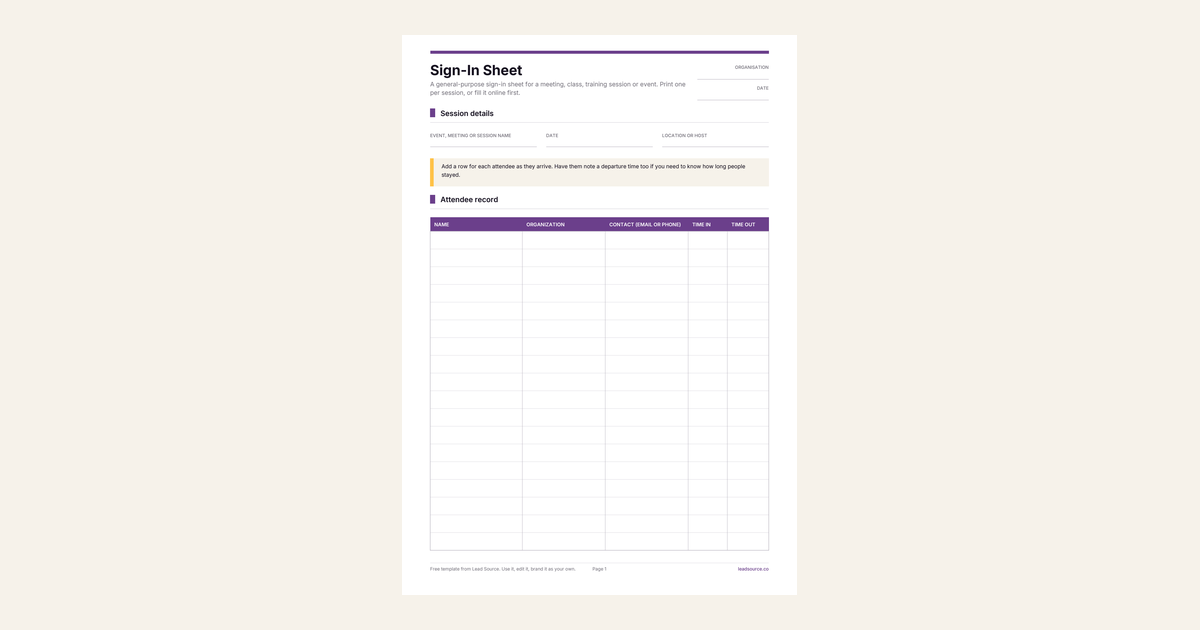
The header captures the event, meeting or session name, and the date, then the location or host. So a stack of these from different weeks stays sortable at a glance. The table has five columns, name, organisation, and a contact detail, then time in and time out.
Contact is the one column worth thinking about before you print. Include it if you would actually use it, for a follow-up email or a class roster. Leave it out if the sheet is just a record that a session happened, since a column nobody fills in trains people to skip the ones next to it too.
When to use one of the specific versions instead
Five things push you toward a different template. A construction site needs an induction column and an assembly point, because the sheet doubles as an evacuation roll call. Use the construction site sign-in sheet. A contractor needs insurance and licence checks before work starts. Use the contractor sign-in sheet. A safety briefing needs to record what was covered, not just who attended. Use the safety sign-in sheet. An office, clinic or reception desk needs a host and a visitor pass number. Use the visitor sign-in sheet, or the visitor log if the traffic is too low for a fresh sheet every day.
None of those five needs applies to a normal meeting, class or one-off event, which is what this one is for.
Printing and running it
Twenty-eight rows fit on the first page before it runs to a second. If a regular session reliably draws more than that, print a second sheet in advance, rather than shrinking the row height to squeeze more in. A cramped line is the first thing that becomes illegible once someone actually signs it. Fill it online first if you want to add your own logo or rename a column, before you print it or download it as a Word file.